Waiting for important identity documents can be a stressful experience. You have submitted your application, paid the fees, and now you are left wondering when your card will actually arrive. Whether you have applied for a Computerized National Identity Card (CNIC), a National Identity Card for Overseas Pakistanis (NICOP), or a Child Registration Certificate (B-Form), knowing the status of your application is essential.
Fortunately, the days of standing in long queues at a NADRA center just to ask a simple question are largely behind us. The National Database and Registration Authority (NADRA) has digitized much of its workflow, allowing citizens to monitor their applications from the comfort of their homes.
This guide will walk you through the exact steps to perform a NADRA tracking ID check online. We will cover how to use the dedicated mobile app, navigate the official website, and understand what different tracking statuses might mean for your application.
Quickest Method: The Pak Identity Mobile App
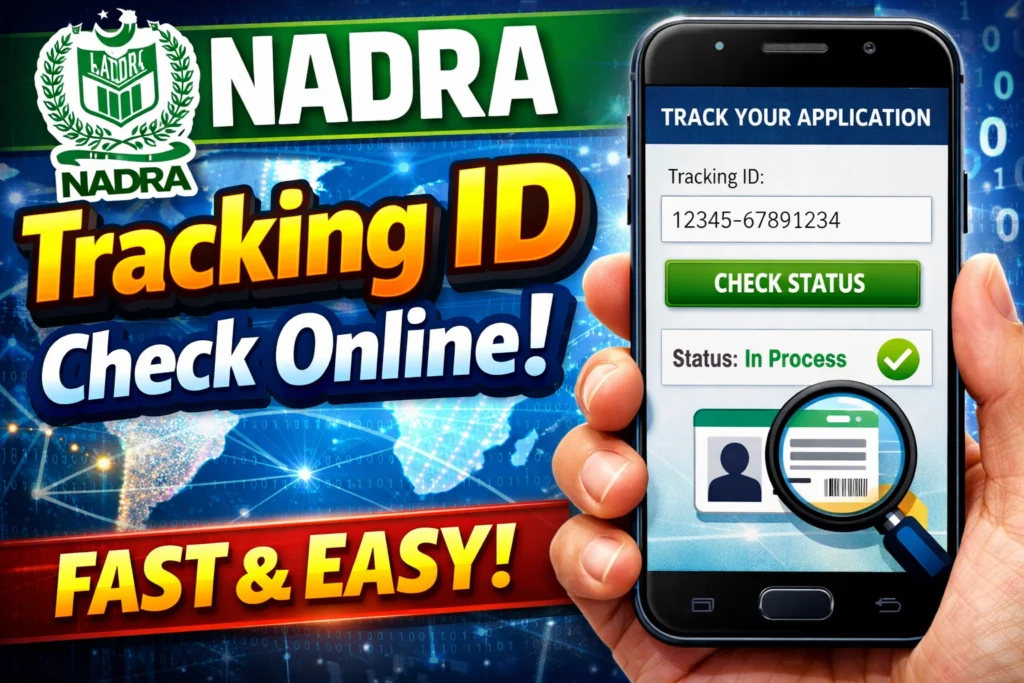
Smartphones have revolutionized how we interact with government services. The easiest way to handle your NADRA Tracking Pak ID Tracking is through the official mobile application. This app is designed to bring identity services directly to your fingertips, saving you time and effort.
Here is a step-by-step guide on how to use the app to check your status:
1. Download the Application
First, you need to get the official “Pak Identity” mobile app. It is available for download on both the Google Play Store (for Android users) and the Apple App Store (for iOS users). Ensure you download the official app developed by NADRA to protect your private data.
2. Log in to Your Account
Once the app is installed, open it up.Log in using your existing credentials. If you applied online originally, use the same account details. If you haven’t created an account yet, you will need to register using your email address and mobile number.
3. Navigate to Tracking
Once logged in, you will be directed to the main home screen. Look for an option that says “Show More” or check the main menu for the “TID Tracking” icon. This is the specific tool used for tracking ongoing applications.
4. Enter Your Details
To check NADRA tracking ID, you will need the specific Tracking ID assigned to your application. This is usually found on the receipt given to you at the time of registration. Enter your Tracking ID along with the PIN code associated with your account. Once you hit submit, the app will display the current status of your application, letting you know if it is still processing, printing, or ready for dispatch.
Using the NADRA Website for Tracking
If you prefer using a desktop computer or don’t want to download the app, the NADRA website is your primary resource. It offers a robust platform for Tracking ID application online checks.
Here is how to navigate the web portal:
Access the Portal
Open your web browser and visit the official website at **www.nadra.gov.pk**. This is the central hub for all registration authority services.
Locate the Tracking Section
On the homepage, scan for the section related to “NICOP/POC Tracking” or a similar tracking link. The website is frequently updated, so look for headings related to “Check Status” or “Application Tracking.”
Enter Your Tracking ID
You will be prompted to enter your 10-digit Application Tracking ID. You can find this number on the top right corner of the receipt you received when you submitted your form. Make sure to enter the number without any dashes or spaces.
Once you submit the query, the system will retrieve the latest update on your request. This works for standard CNICs as well as NADRA Tracking B form applications for children.
Understanding Your Tracking Needs
Identity documents are vital for everything from banking to travel, so it is natural to want frequent updates. Depending on how you applied and what specific document you need, your tracking process might vary slightly.
Tracking B-Forms and Payment Status
Many parents apply for Child Registration Certificates (CRC), commonly known as B-Forms. You can track these applications using the same Tracking ID method mentioned above. Additionally, if you are unsure if your payment went through, the tracking status often updates to reflect NADRA Tracking ID payment clearance. If the status shows “Pending Payment,” it may indicate an issue with the transaction that needs resolving before processing can continue.
SMS Tracking Options
While the online methods are comprehensive, internet access isn’t always available. Many citizens look for a NADRA tracking ID check SMS Urdu service or standard SMS tracking. Historically, NADRA has offered SMS-based services where citizens could send their application number to a short code (such as 8400 for verifying CNIC details) to receive status updates.
While the NADRA tracking ID check SMS service is convenient, the web portal and mobile app generally provide more detailed information regarding exactly where your card is in the production pipeline.
What if You Face Issues?
Sometimes technology fails, or an application gets stuck in a “Processing” status for longer than expected. If you cannot find your record using the Check NADRA Tracking ID tools online, or if the status hasn’t changed in weeks, you may need to escalate the issue.
Contact the Helpline
The NADRA helpline is available to assist with complex queries that automated systems cannot resolve. You can reach them at +92 51 111 786 100. When you call, ensure you have your tracking ID and personal details ready so the support agent can quickly locate your file.
Visit a Mega Center
If phone support and online tracking aren’t yielding results, visiting a NADRA Mega Center might be necessary. These centers operate with extended hours and have dedicated counters to handle queries regarding delayed applications.
Keep Your ID Application on Track
Securing your identity documents is a fundamental right and a necessity for daily life in Pakistan. By utilizing the digital tools NADRA has provided, you can save yourself hours of uncertainty. Whether you choose to download the Pak Identity app for on-the-go updates or prefer the traditional website route, performing a tracking check is now a matter of a few simple clicks.
Stay proactive with your application. If the estimated delivery time passes without an update, use the resources listed above to investigate. Your identity card is your gateway to citizenship services, and keeping track of it has never been easier.