Proof of vaccination has become as essential as your passport or national ID card. Whether you are planning an international trip, applying for a new job, or simply entering public spaces that mandate health safety protocols, having your immunization records at hand is non-negotiable. If you have been vaccinated in Pakistan, this record comes in the form of the NADRA COVID vaccine registration certificate.
Fortunately, the days of standing in long queues at government offices are behind us. The National Database and Registration Authority (NADRA), in conjunction with the National Immunization Management System (NIMS), has streamlined the process. You can now access, verify, and download your official documents from the comfort of your home.
This comprehensive guide will walk you through the exact steps to secure your COVID-19 vaccination certificate download PDF, troubleshoot common payment issues, and ensure your travel documents are ready when you are.
NADRA COVID Vaccine Registration Certificate
Before diving into the download process, it is helpful to understand what this document represents. The NADRA COVID vaccine registration certificate is the only official document recognized by the Government of Pakistan and international authorities as proof of your vaccination status.
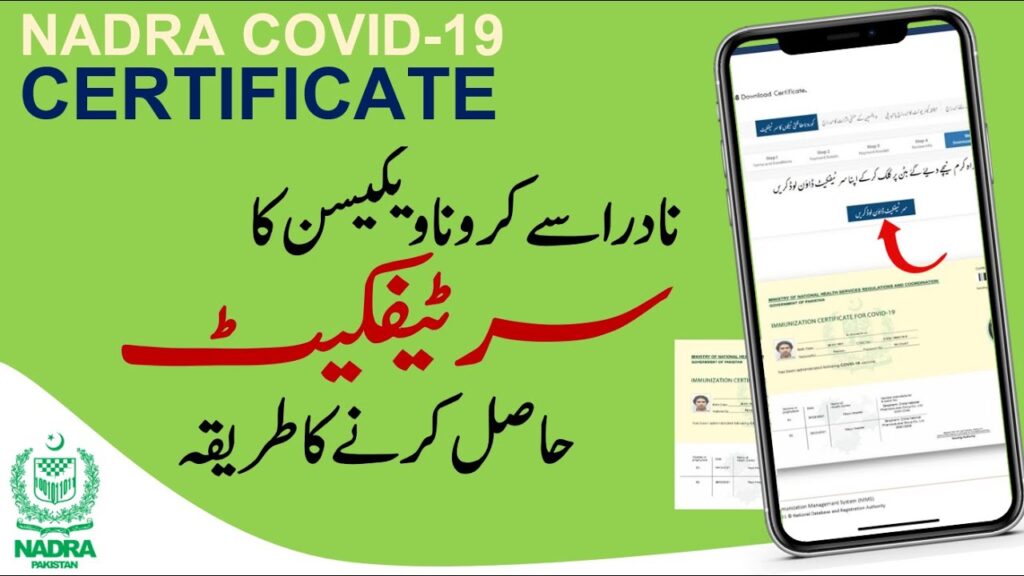
This secure document contains vital personal and medical details, including:
- Personal Identity: Your full name, CNIC number, and passport number (if provided).
- Vaccination History: The dates of your first and second doses (and boosters).
- Medical Data: The name of the vaccine administered (e.g., Sinopharm, Pfizer, Moderna) and the vaccination center location.
- Verification: A unique QR code that border control and employers can scan to verify the document’s authenticity instantly.
Without this verifiable digital footprint, your physical vaccination card is often insufficient for international travel or official purposes.
Nadra Covid Vaccine Registration Certificate Online Download With Pak Identity app
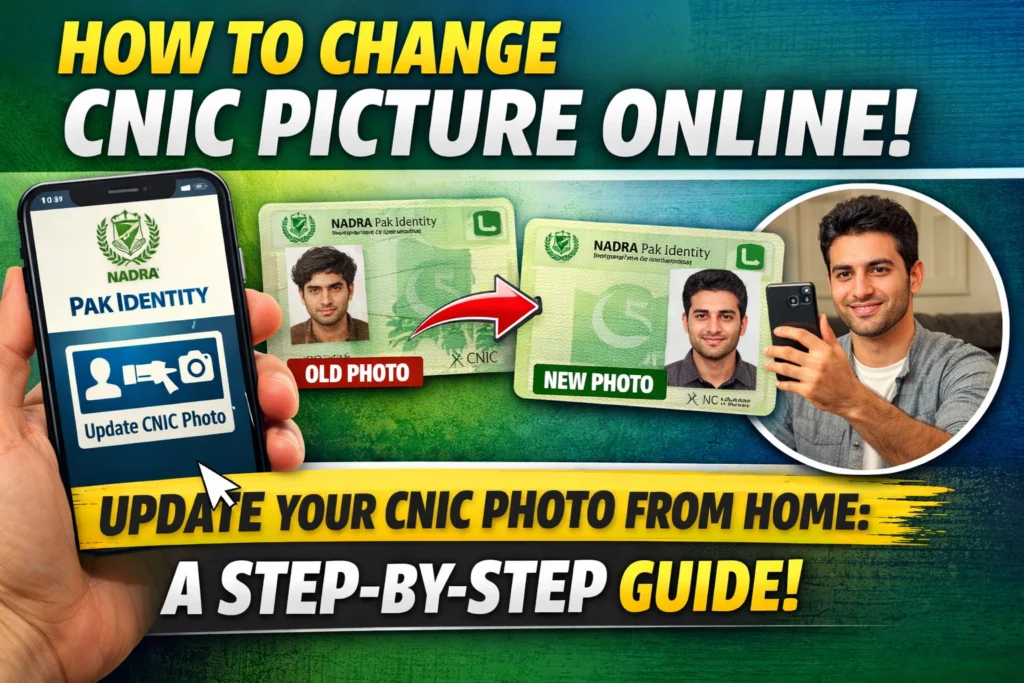
To download the Nadra Covid Vaccine Registration Certificate online, you can use the Pak Identity app, which offers a smooth and efficient process. Start by downloading the app from the Google Play Store or Apple App Store and logging in with your credentials. Once logged in, select the option for Covid Vaccine Certificate. Enter the required details, including your CNIC number and vaccine information, to proceed. After verifying your records, the app will generate a digital version of your certificate, which you can download or print for future use. This convenient method ensures quick access to your vaccination certificate anytime, anywhere.
Why You Should Use the Online NIMS Portal
While you can visit a NADRA center, the online route is designed for speed and convenience. The NIMS NADRA gov pk certificate portal is available 24/7, allowing you to generate your certificate immediately after your data is uploaded by the vaccination center.
Using the online system ensures that your data is digitized correctly. It allows you to check for errors in spelling or dates before you print the final document, saving you the hassle of correcting a physical document later.
Step-by-Step Guide: NADRA Vaccination Certificate Download
Obtaining your certificate is a straightforward process. You will need your 13-digit CNIC number and the issuance date stated on your ID card.
Step 1: Access the NIMS Portal
Navigate to the official National Immunization Management System website. This is the central hub for all NIMS NADRA vaccination certificate services. Ensure you are on the official .gov.pk domain to protect your private data.
Step 2: Initiate the Request
On the homepage, locate the prominent button labeled “COVID-19 Vaccination Certificates” (often just “Get Certificate”). Clicking this will take you to the data entry screen.
Step 3: Enter Personal Details
You will be prompted to enter your CNIC number (without dashes). Crucially, you must also enter the “Date of Issue” of your CNIC. This acts as a secondary security layer to ensure that only the ID holder can access the private medical records. Complete the CAPTCHA verification to proceed.
Step 4: Verify Your Records
Once you log in, the system will display your vaccination history. Take a moment to review this carefully. Ensure the vaccine name, dates, and doses match the card you received at the vaccination center. If everything looks correct, proceed to the design selection.
Step 5: Process the Payment
NADRA charges a nominal fee of PKR 100 for the certificate issuance. The system offers flexibility in payment methods to accommodate everyone:
- Credit/Debit Card: Visa or MasterCard are accepted.
- e-Sahulat: You can visit a franchise if you lack digital payment methods.
- Mobile Wallets: Services like Easypaisa and JazzCash are integrated for quick transactions.
Step 6: Download and Print
Upon successful payment, the portal generates your certificate. You will see an option for the COVID-19 vaccination certificate download PDF. Save this file to your smartphone and email a copy to yourself for safekeeping. You can then print a hard copy on high-quality paper for official use.
Alternative Method: Download Through Pak Identity
For those who prefer using mobile applications, the Pak Identity app offers another route. While the NIMS portal is the primary method for vaccination records, having the Pak Identity app set up is useful for managing other NADRA-related identity documents.
However, for the specific purpose of the vaccine certificate, the web-based NIMS portal remains the most direct and reliable method, as it is specifically dedicated to immunization records.
How to Check Polio Certificates Online
NADRA has recently integrated other vaccination records into the same system. If you are traveling to countries that require proof of Polio vaccination, you can perform a Polio certificate online check using the same NIMS portal.
The process mirrors the COVID certificate download:
- Select “Polio Vaccination Certificate” on the NIMS home page.
- Enter your CNIC and ID issuance date.
- Pay the requisite fee.
- Download the PDF.
This integration makes the NIMS portal a one-stop shop for your essential travel health documents.
Troubleshooting Common NIMS Portal Issues
While the system is efficient, users occasionally face hurdles. Here is how to resolve the most common problems.
Incorrect Vaccination Data
If you log in and find that your status says “Not Vaccinated” or the dates are wrong, do not pay the fee yet. This usually means the vaccination center staff did not upload your data correctly. You must contact the center where you received the jab or call the NIMS helpline at 1166 for data modification instructions.
Payment Failures
If your payment is declined:
- Ensure your debit card has “Online Sessions” activated.
- If using a mobile wallet, ensure you have a sufficient balance that covers the fee plus any transaction taxes.
- Clear your browser cache and try again.
Access Denied
If the system says your CNIC details are invalid, double-check the “Date of Issue.” If you have recently renewed your CNIC, the system might still be synced to your old card’s issuance date. Try the old date if the new one fails, or visit a NADRA center to update your records.
Frequently Asked Questions
Is the NIMS NADRA COVID certificate mandatory for travel?
Yes, nearly all international airlines and immigration authorities require the official NADRA certificate with the QR code. The handwritten card given at the vaccination center is rarely accepted for international travel.
Can I download the certificate again if I lose it?
Absolutely. Once you have paid the fee for a specific CNIC, you can log back into the NIMS portal and re-download your certificate as many times as needed without paying again. However, if you add a booster shot and need to update the certificate, a distinct fee may apply for the new modification.
Is there a specific NIMS vaccination certificate for booster shots?
Your standard certificate is dynamic. When you receive a booster and the data is uploaded, you can re-download the certificate. The updated document will reflect your initial doses plus the booster information.
Can I verify a certificate’s authenticity?
Yes. Every certificate comes with a unique QR code. Anyone with a QR code scanner can scan the document to be redirected to the NADRA website, which will confirm if the document is genuine.
Secure Your Travel Documents Today
Navigating bureaucratic processes can often feel overwhelming, but the digitization of the NADRA COVID vaccine registration certificate online download process is a welcome exception. It is fast, user-friendly, and accessible to anyone with an internet connection.
Whether you are preparing for a business trip or simply want to keep your health records organized, taking ten minutes to download your certificate today can save you hours of stress tomorrow. Visit the NIMS portal now and ensure your documentation is up to date.