Buying or selling a vehicle used to mean enduring long lines, confusing paperwork, and hours spent at government offices. For residents of Sindh, that process just got significantly faster.
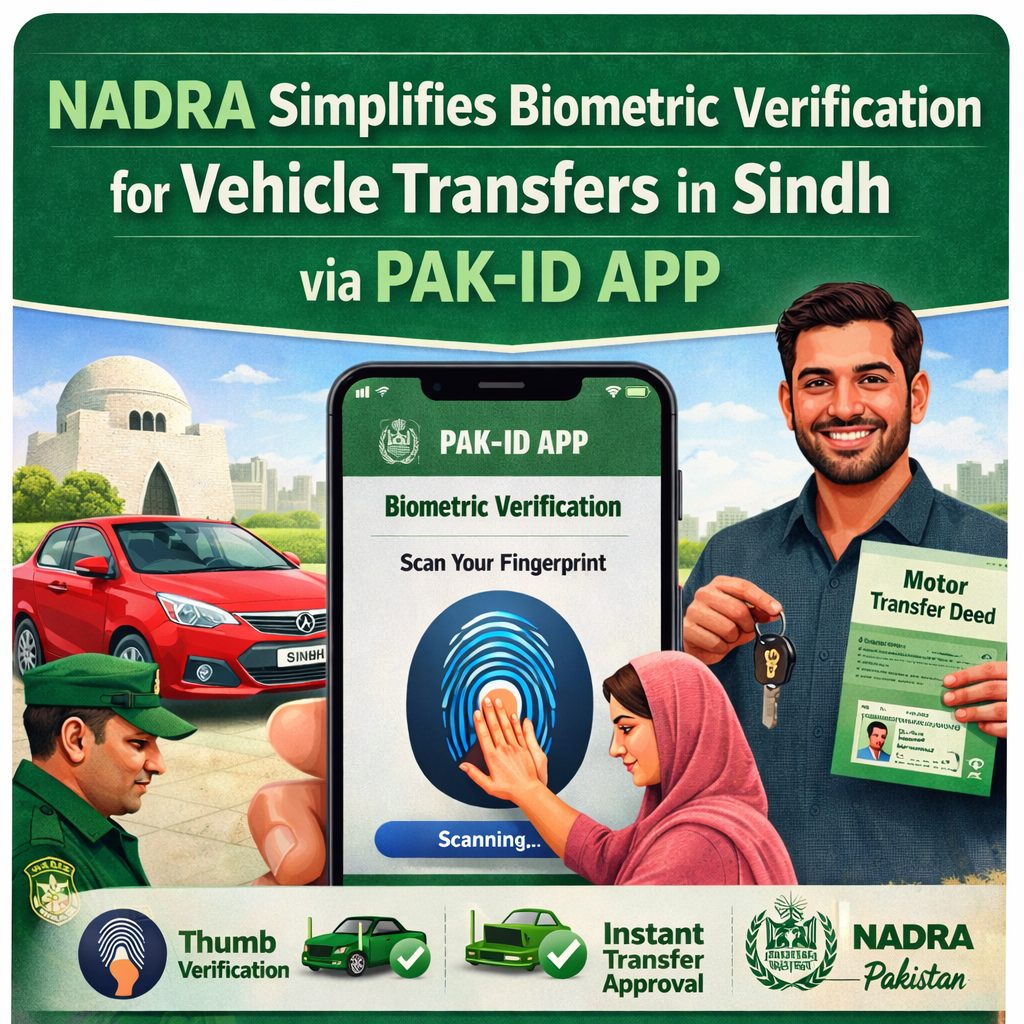
The National Database and Registration Authority (NADRA) has revolutionized the vehicle transfer process by introducing mobile biometric verification. This new system allows citizens in Sindh to complete the necessary identity checks without ever stepping foot in a NADRA office.
If you are planning to buy or sell a car, you can now skip the queue and handle the verification directly from your smartphone. This guide breaks down exactly how the new NADRA biometric verification system works in Sindh and how you can use the Pak-ID app to secure your vehicle transfer in minutes.
A new era for vehicle transfers in Sindh
Historically, transferring vehicle ownership was a bottleneck in the buying and selling process. Both the buyer and seller were required to physically visit a NADRA center or an Excise and Taxation department to provide biometric scans. This requirement often led to delays, scheduling conflicts, and general frustration.
Recognizing these inefficiencies, NADRA has integrated its biometric services with the Sindh Excise Department’s requirements. The solution is digital, accessible, and designed to save citizens time.
According to a public notice from NADRA, the biometric verification required for the purchase and sale of vehicles in Sindh is now fully supported by the Pak-ID mobile application. This move aligns with broader “Digital Pakistan” initiatives, aiming to bring essential government services to the fingertips of citizens.
Why this matters for you
The shift to mobile verification offers several key benefits:
- Convenience: You can complete the verification from your living room, office, or anywhere with an internet connection.
- Time-Saving: There is no need to travel to a registration center or wait for your turn at a counter.
- Security: The Pak-ID app uses advanced technology to ensure that the identity verification is just as secure as an in-person visit.
How the digital verification process works
The core of this new system is the Pak-ID mobile app. This application allows you to capture your fingerprints and scan documents using your smartphone’s camera, which are then verified against NADRA’s national database.
Here is the general workflow for a vehicle transfer under the new system:
- Biometric Verification: The buyer and seller use the Pak-ID app to verify their identities remotely.
- Processing: Once the biometric data is successfully verified through the app, the system updates the records.
- Completion: After the digital verification is done, the final vehicle transfer process is completed at the relevant Excise and Taxation department, but the requirement for physical biometric presence at NADRA is removed.
This hybrid approach ensures that while the administrative transfer of the asset happens through the Excise department, the identity authentication which is crucial for fraud prevention is handled seamlessly by NADRA’s digital tools.
Step-by-step: How to use the Pak-ID app
Ready to transfer a vehicle? Here is how to navigate the NADRA biometric verification process in Sindh using your phone.
1. Download the application
First, you need to get the official app. Go to the Apple App Store or Google Play Store and download the Pak-ID app. Ensure you are downloading the official application developed by NADRA to protect your personal data.
2. Register an account
If you don’t already have an account, you will need to sign up. Launch the app and follow the prompts to sign up.You will typically need to enter your CNIC number, email address, and mobile number to create a profile.
3. Select the biometric service
Once logged in, look for the option related to biometric verification. The app is designed to capture fingerprints using the rear camera of your smartphone. Follow the visual guides provided in the app to ensure you get a clear scan of your fingers.
4. Submit for verification
After capturing the biometrics, submit the data. The app will cross-reference your scans with the national database. Once confirmed, this digital verification serves as the proof of identity required for your vehicle transaction in Sindh.
5. Finalize the transfer
With your biometrics verified digitally, you can proceed with the standard vehicle transfer procedures required by the Sindh Excise and Taxation Department. Since your identity is already authenticated, the remaining paperwork is streamlined.
Troubleshooting common issues
While the app is designed to be user-friendly, technology can sometimes be tricky. Here are a few tips if you run into trouble during the verification process:
- Lighting is key: When scanning fingerprints, ensure you are in a well-lit room. Shadows can confuse the camera and lead to rejected scans.
- Clean camera lens: A smudged camera lens can prevent the app from focusing on the ridges of your fingerprints. Wipe your lens before starting.
- Steady hands: Keep your hand and the phone steady. The app needs a few seconds of stability to capture a high-quality image.
- Official resources: If you face persistent technical issues or need specific guidance regarding vehicle taxes, NADRA advises visiting their official website at www.nadra.gov.pk for additional information and support contacts.
The future of digital services in Pakistan
The introduction of mobile biometric verification for vehicle transfers in Sindh is just one part of a larger digital transformation. NADRA has been aggressively expanding its e-services, allowing citizens to renew ID cards, apply for family registration certificates, and update personal information online.
By adopting these digital tools, you not only save yourself time but also contribute to a more efficient, documented, and transparent economic system. Whether you are selling your old car or buying your dream vehicle, the Pak-ID app ensures the process is secure and hassle-free.